Free AI virality checker and viral scoreKnow exactly what to fix. Before you post.
Upload your Reel, Short or TikTok. ViralGrader reviews it frame by frame and marks the exact second to change, what's wrong and the edit that fixes it — plus a hook rewrite and a grade for the app you post to.
- Results in about a minute
- Video deleted after analysis
- First scan free
dream-girl-short.mp4 · 0:42 · Reels
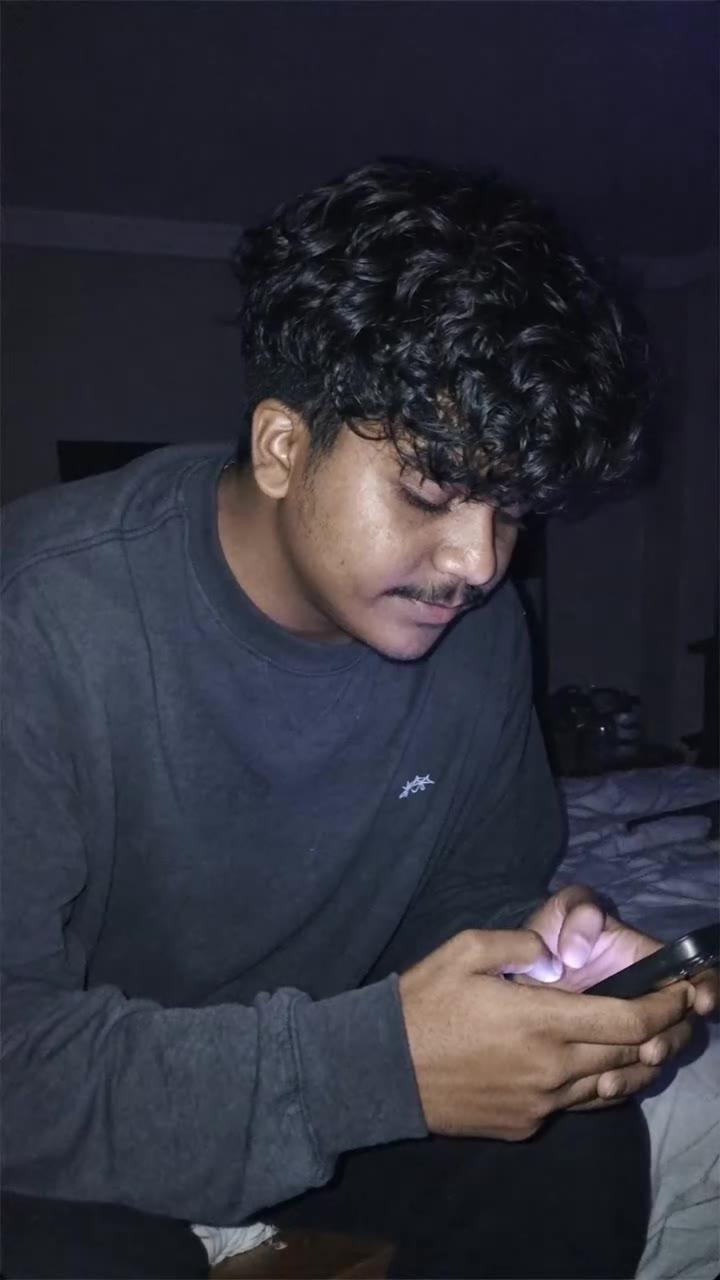
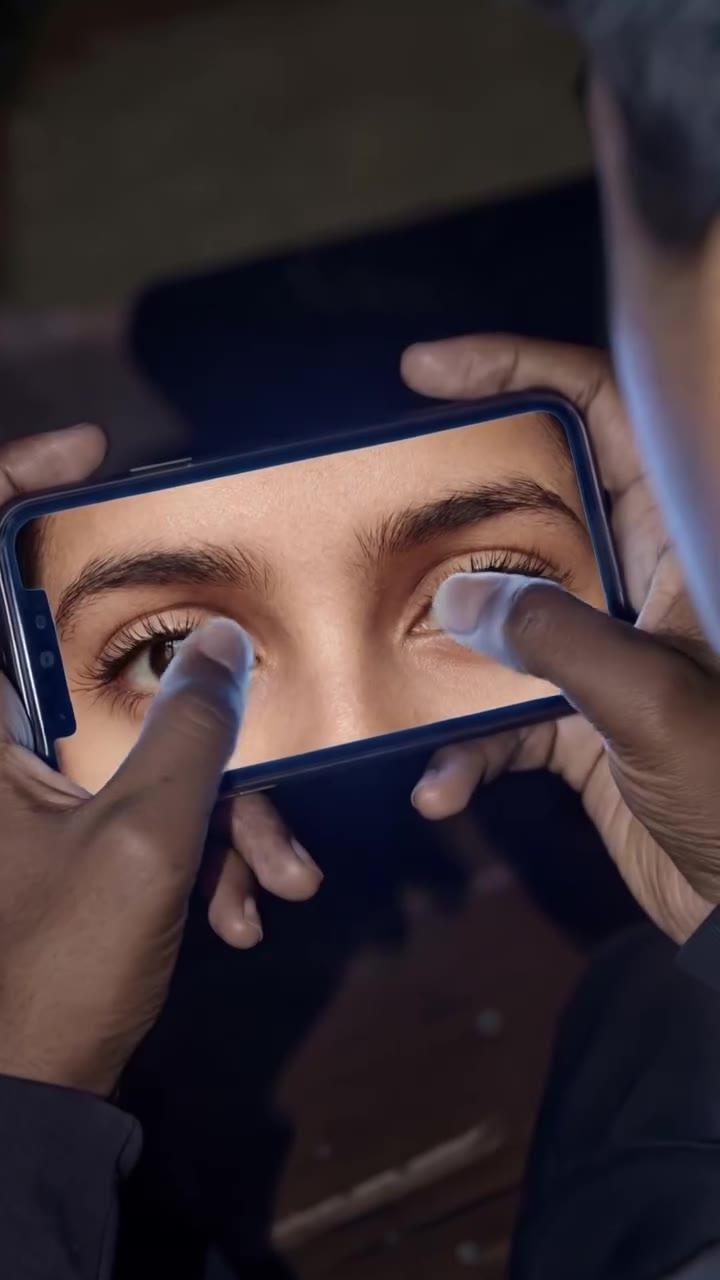
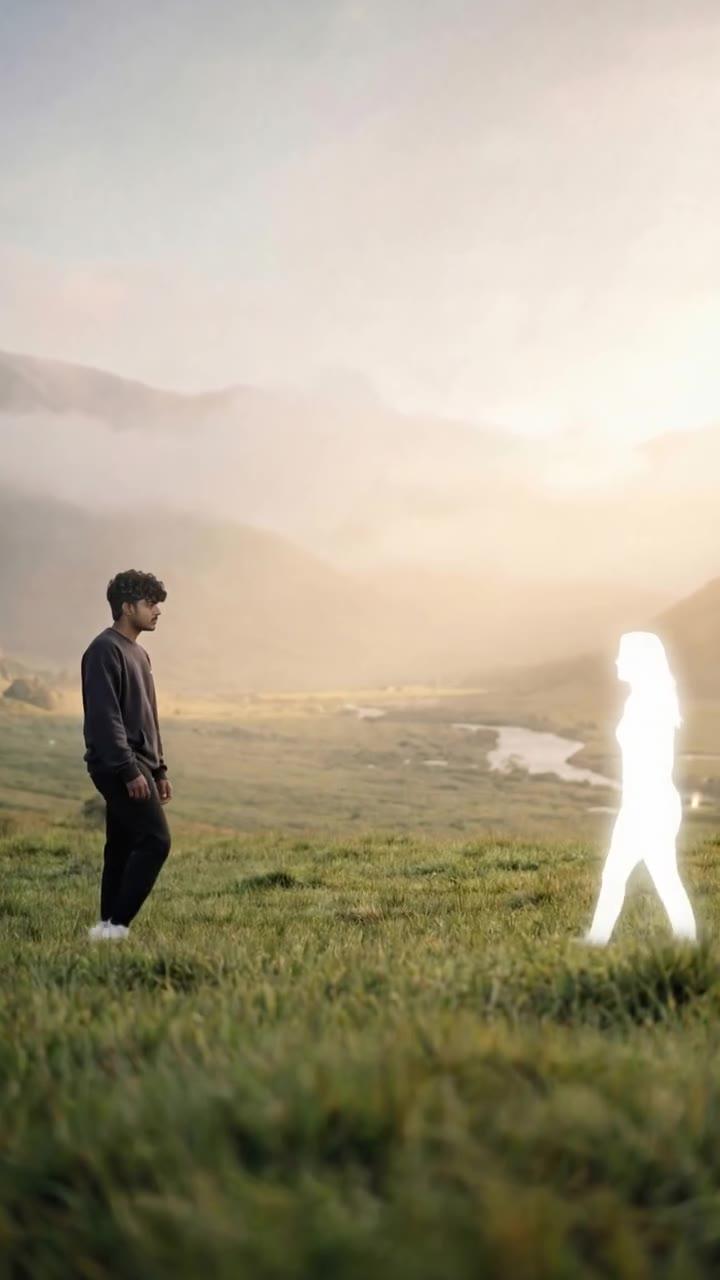

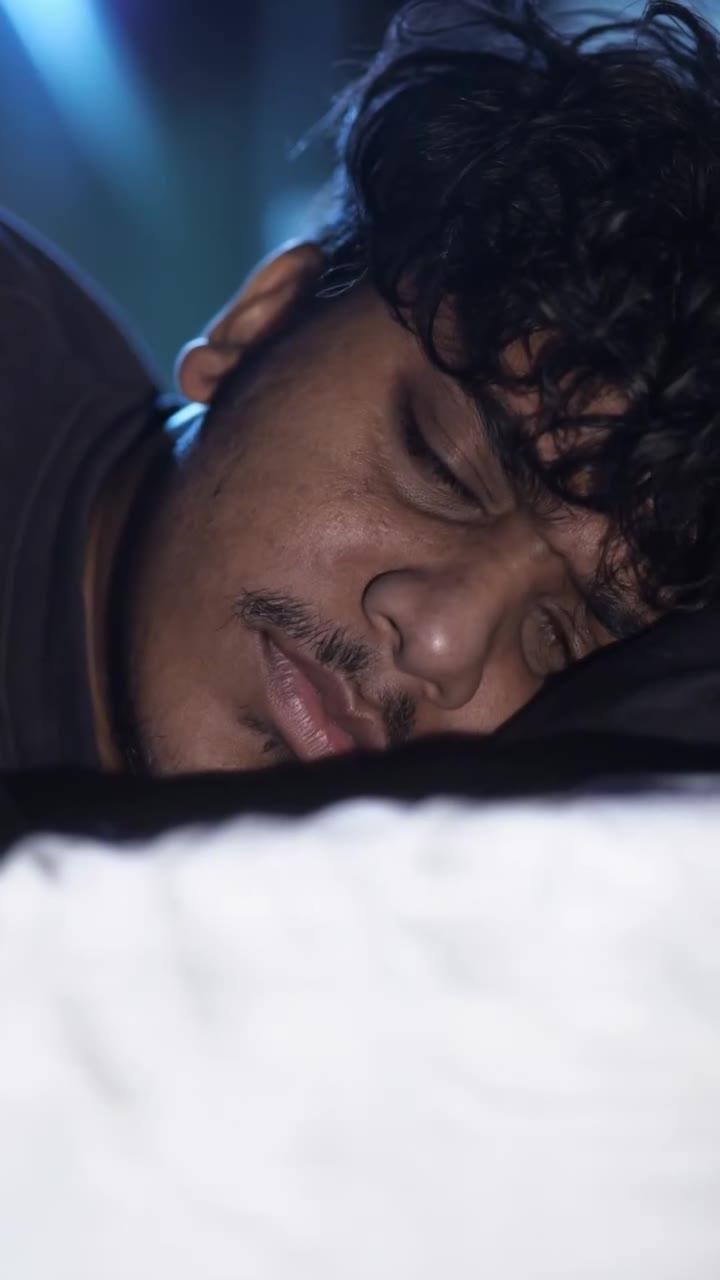
POV: she only exists in my phone
0:00.30 · f958
- Hook
- 60
- Hold
- 20%
Grade / 100
Dreamy edit, slow start, dead end
Sample review of a real scan. Notes and grade, unedited, from our sample report.
Every note sits on the frame it's about.
Your edit plan lists each change with its exact time, frame number and one instruction — trim, cut, zoom, move text, fix audio. Step through it on your own video, copy it or export a CSV for CapCut, Premiere or DaVinci.
- f9
0:00.00–0:01.70Add text
The opening is a dark, near-static shot of you looking down at your phone with no text, so nothing tells a muted viewer what this story is about.
Add a bold 4–6 word line in the upper-middle third from frame 0 to 1.69s, e.g. "POV: she only exists in my phone". Keep it clear of the bottom 22% and the right edge.
- f75
0:02.00–0:04.70Zoom in
The fingers touching the eyes on the phone are the most intriguing moment, but the shot just sits there.
Add a slow push-in from 100% to 115% across 2.0–4.69s, centred on the eyes.
- f315
0:09.20–0:18.57Cut
The meadow shot of you facing the glowing silhouette runs 9.4s, the longest shot in the video.
Split it at about 12.2s and 15.4s with a punch-in to 120% on the silhouette, then a cut back wide. Alternatively, trim it to about 4s.
- f990
0:31.43–0:35.93Zoom in
The floating-above-clouds shot is low on motion (3.3) for 4.5s.
Add a slow push-in from 100% to 120% toward the two figures across the shot.
- f1176
0:39.57–0:42.00Cut
The last 2.4s are blurry, then black and frozen, with silence from 41.0s. On Shorts and TikTok this kills completion and replays.
Cut everything after 39.56s. End on the last image, then loop back to the phone-eyes opening shot for a clean replay.
The sample plan has 13 edits for a 42-second video. Step through all of them
A grade for the app you're posting to.
Pick Reels, Shorts or TikTok before you scan. Your grade is 0–100 with the hook weighted highest, scored with that app's own ranking weights. We also check your on-screen text against its buttons and caption, and word every note for it.
- Reels
- Shorts
- TikTok
- Hook — your first 3 seconds
- Hold — viewers likely to watch to the end
Sample report · A prediction to guide your edit, not a guarantee of views.
She texted me at 2am...
0:00.00–0:03.00A sharper hook, written in the way you talk.
The AI editor reads your first frame and first line, then writes the text to put on screen and a stronger opening line — in English, Hindi or Hinglish, matching how you actually speak.
- What a viewer sees first
- You sitting in a dark bedroom, head down, looking at your phone, with almost no movement and no on-screen text.
- Text hook for the first 3 seconds
- “She texted me at 2am...”
Get better with every video you make.
Every scan lands in your history. See your personal best, how your hooks are trending and what changed since your last video. Made the edits? Re-scan the new cut and see the before and after side by side.
Start with your next videoWaiting for video
Demo · 0/6 regions
- Hook
- —
- Visuals
- —
- Audio
- —
- Language
- —
- Emotion
- —
- Drift risk
- —
Watch it think while it works.
While your video is analysed, an attention map lights up region by region — each one driven by something we measure: your hook, visual energy, audio, captions and speech, emotional cues and the stretches where viewers drift.
Honest label: Attention map inspired by neuroscience research — not a brain scan.
We review your video. Then we delete it.
- Deleted after analysis
- Raw videos are removed from our servers as soon as the scan finishes.
- Upload only
- We never scrape TikTok, Instagram or YouTube.
- Your data, your call
- Training use is opt-in. Delete your account any time.
What is a virality checker?
A virality checker predicts how well a short video will hold a scrolling viewer, before you post it. Here's what ViralGrader checks, and where its limits are.
A virality checker for Reels, Shorts and TikTok
ViralGrader is an AI virality checker built for short vertical video. Upload the exact file you're about to post and it reviews the video frame by frame: the first second, the pacing, the picture, the sound, the words and where your text sits on screen. You get a viral score from 0 to 100 for each app you pick, a hook score for the opening, a hold estimate for how many viewers are likely to stay to the end, and an edit plan with the exact second and frame number of each fix.
How to check your video's virality
- Upload the video you plan to post: MP4, MOV or WebM, up to 60 seconds on the free scan.
- Pick Instagram Reels, YouTube Shorts, TikTok or all three. Each app gets its own score.
- Read your viral score, then step through each fix on your own video.
- Make the edits, re-scan the new cut and compare before you post.
What the virality check looks at
Every scan runs the same checks, and each has its own page: the hook analyzer for the opening seconds, the viral score for the overall read, and versions tuned for Instagram Reels, TikTok and YouTube Shorts. Underneath, it measures motion, cuts, faces, framing, loudness, silence, pauses and filler words, and checks your on-screen text against each app's buttons and caption.
What makes this virality checker different
Many virality checkers hand you a number, or rank clips cut from a long video. ViralGrader rates the finished short you're about to post and tells you what to change: the exact second, the frame and one instruction, such as trim, cut, zoom, move text or fix the audio. The hook rewrite is written in the language you speak.
Can a virality checker tell if a video will go viral?
Not with certainty, and a tool that promises views is overselling. Timing, topic, your audience and luck all play a part. What a virality checker can do is catch the problems that sink a video before anyone sees it: a slow first second, text hidden under a button, a quiet first word, a stretch where viewers drift. For a step-by-step routine, read will my video go viral?
One upload, every check.
Every scan runs all of these. Pick the one that matches what you're trying to fix to see how it works.
- Reel analyzerAI analysis of an Instagram Reel before you post: score, hook, hold and exact edits.
- Viral score checkerGet a 0–100 viral score for your video, and learn what a good score is.
- TikTok virality checkerCheck if your TikTok will hold the For You feed before you post it.
- YouTube Shorts analyzerScore a YouTube Short before you publish and cut the swipe-aways.
- Hook analyzerScore the first seconds of your video and get a sharper hook, in your language.
- Virality predictorPredict how well your video will hold a scrolling viewer, before you post it.
- Will my video go viral? How to check before you post
- Why are my Reels not getting views? 10 reasons and how to fix them
- How to write a hook for Reels, Shorts and TikTok: 12 formulas with examples
- Safe zones for Reels, TikTok and YouTube Shorts: where to put your text
- How long should a Reel, YouTube Short or TikTok be?
- 64 hook ideas for Reels, TikTok and Shorts, by niche
- Why did my TikTok views drop? 9 causes and how to fix them
Fair questions
See pricingIs this a guarantee my video will go viral?
No — nobody can promise that. It's a prediction based on what your video does in its first seconds and beyond, plus concrete edits to give it a better shot.
Is the brain a real brain scan?
No. It's an attention map inspired by neuroscience research. Each region is driven by our own measurements of your video — motion, cuts, faces, captions, speech, loudness and pauses.
What happens to my video?
It's uploaded straight to private storage, analysed, and deleted right after. Our AI editor reviews about 36 still frames and the transcript to write your edit plan, and none of it is kept. We keep the scores, signals and edit plan so you can see your history — never the footage.
Can I paste a TikTok or Instagram link?
Not yet, on purpose. Downloading from those platforms breaks their terms, so we only grade files you upload yourself.
Which platforms is it tuned for?
Pick Instagram Reels, YouTube Shorts or TikTok before you scan. We weigh what that app rewards, check your on-screen text against its buttons and caption, and word the advice for it. Long-form YouTube is on the roadmap.
Does it work in my language?
Yes. We transcribe speech in 90+ languages and write your hook rewrite in the language you speak. The edit plan and the rest of the report are in English.
How long can my video be?
Up to 60 seconds and 100 MB on the free scan, and up to 3 minutes and 300 MB on a paid scan — as long as a YouTube Short can be, and the longest Reel Instagram recommends to new audiences.
Is the virality checker free?
Your first scan is free with an account: the viral score, hook score, hold estimate, attention map and your top 3 fixes. Paid plans add every fix, the deep report and videos up to 3 minutes.
What's a good viral score?
65 or more is good: a solid base that a few fixes can push higher. 80 or more is a strong scroll-stopper. Under 50, start with the opening — that's where most videos lose people.
Your next post deserves a second look.
The first scan is free. It takes less time than re-recording your hook.